Published: September 1st, 2021
El Goog World is an interactive map made for a D&D campaign I have been running for my friends for the last several years.
It's inception something like this:
Walking down the street of Berneholme, capital of the nation of Aelton, you can hear clinking and whirring sounds eminating from this strangely shaped building. On the outside, you see a crudlely crafted sign that reads 'El Goog Emporio De Technologia', with every letter in a different color.
As you enter, you hear a loud clang and some cursing. A few moments later, you are greeted by an old energetic halfing man in a brown leather apron, excited to show you his creations and perhaps sell you something of use for your adventures!
He introduces himself in a thick Spanish accent as "El Goog". You mention your need for a way to navigate the countryside, a simple map of the different towns and regions. He chuckles, and says "I have something far better"
He hands you a metal slab with a clear glass slate in the middle. You tap the glass, and it blinks to life, showing you a map of the entire continent! "Drag your fingers across it like this", he says, as he touches the slate and the maps responds, almost as if it is alive...
Basically my party needed a map, I wanted to flex some of my GIS and Web Development skills to create a useful tool for them throughout the campaign. It proved incredibly helpful, and I had plans to add many tools to it to make life even easier for the adventurers. But, as things go, it got to a point where it was good enough and I left it at that.
Tech Stack
Features
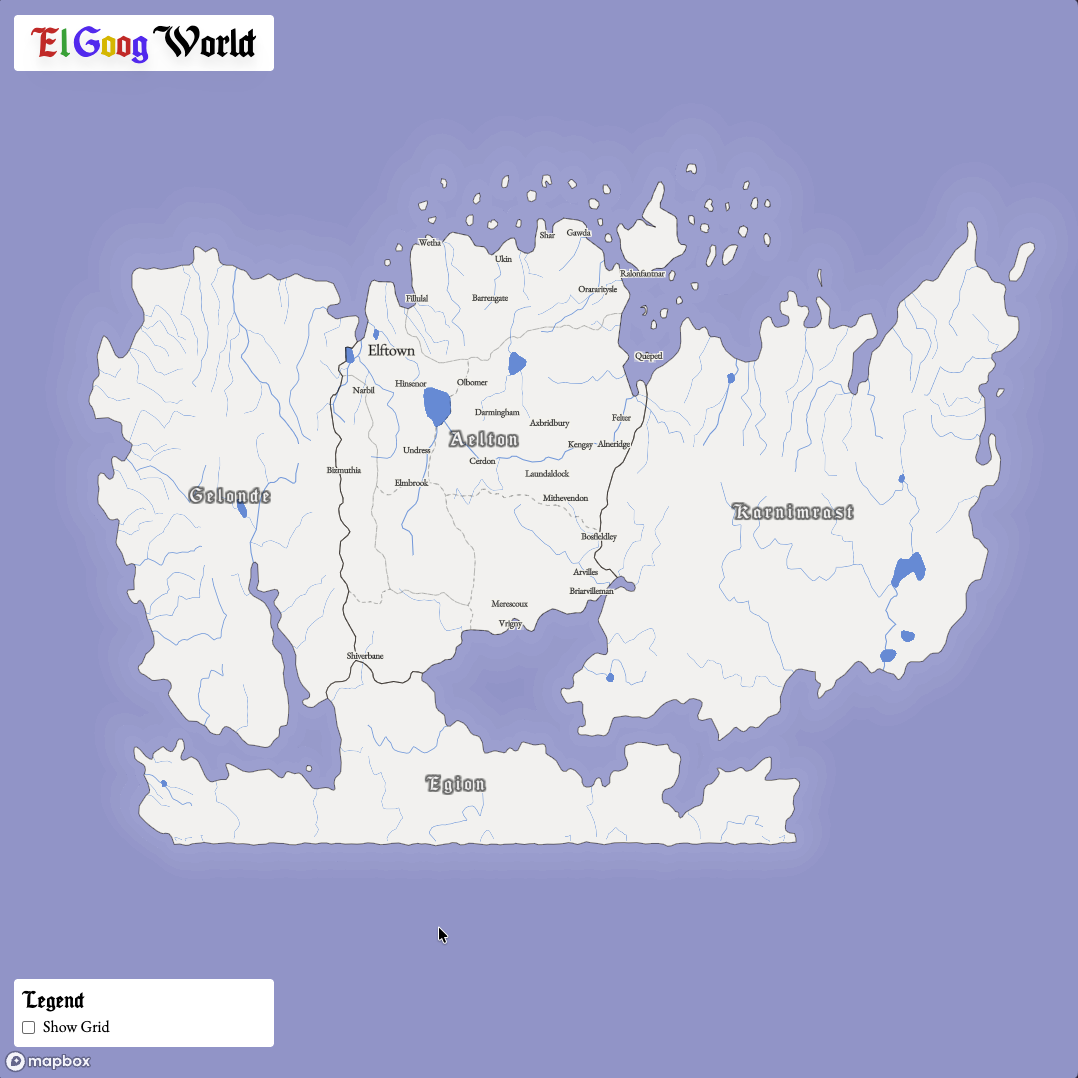
The primary feature of this map was just that it showed the cities, provinces, and regions within the central country the party was adventuring within. You can zoom in and see the major cities and towns, the rivers, etc. It helped for players to be able to orient themselves in a familiar way
Further into the campaign, as the party began to level up and travel became much more accessible to them, they began asking how far it was to certain places on the map. Sure, they had the map, but how far can you go by horse per day again? So I built a simple tool that would overlay a hexagonal grid onto the world, with each hex representing 8 hours of travel using the values outlined by the Player's Handbook. This made it super easy to tell how many days it would take to get from Azureton to Fillulal by ship, or if they would need to push themselves and risk exhaustion to race from Elftown to Bizmuthia in order to make it there before the King's soldiers get there.
There were plans for so many more features! I wanted to add a collective journal that the players could update to keep track of their journeys, tools like a measuring tape that would allow you to place markers down and get the distance between them, information about each town or province that you could see by clicking on the name. Basically I wanted to make a Google Maps clone, but for D&D. Huh, weird.. Google sounds a lot like El Goog... that must be a coincidence.
The party was ultimately defeated by the eventual enemy of every D&D campign: scheduling conflicts. So we haven't had a chance to play in a couple years. But one day we'll wrap up this epic tale! Who knows, maybe El Goog will show up with more inventions!
Details
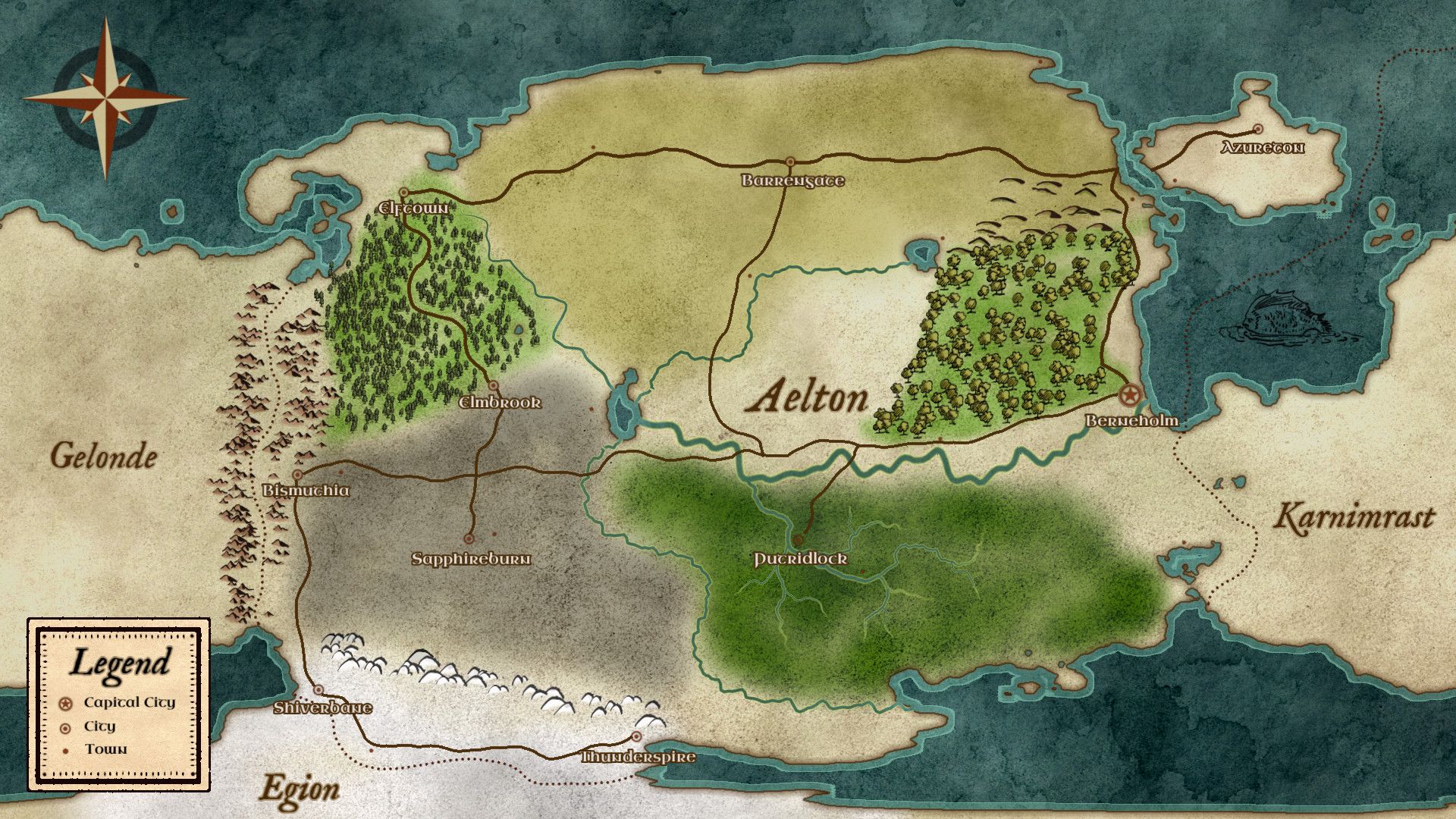
This project started when I found a wonderful tool called Azgaar's Fantasy Map Generator, which allows you to procedurally generate an entire fantasy world with regions, biomes, roads, hydrology, and everything in between. I found this about a year into our campaign, and since I already had a rough map that I had made in Inkarnate, I had to figure out how to get from the static map to a format Azgaar's could understand.
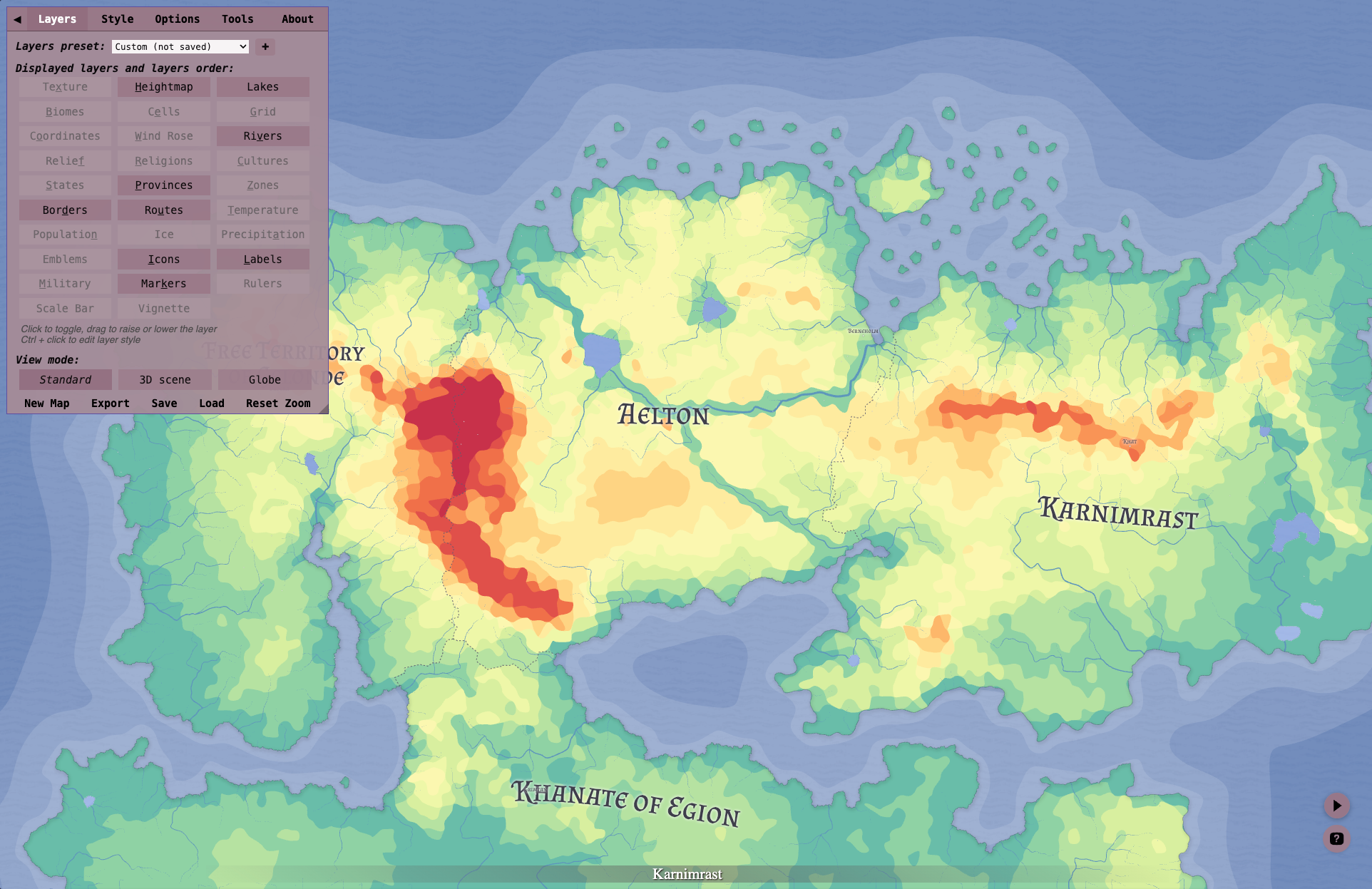
The awesome thing about Azgaar's Fantsy Map Generator is that it output real-world spatial data! So I tinkered with the values that it produced from a new map until I got fairly close to what I had created when I first started the campaign, which resulted in the following map. I had to really crank up the elevation in order to get lakes and rivers to form where I drew them the first time, resulting in some pretty unrealistic topography. But hey if magic can exist, then wild topography can exist too!
From there I could export it to GeoJSON files and manually tweak things in QGIS to get some more realistic results. Once happy with the results, I uploaded the spatial data to Mapbox and created a custom style with the new datasets. I originally planned on storing everything in a PostGIS database and loading all the data in that way, but that seemed way overkill for this project. So, using Mapbox, I basically turned off everything from Earth and had it show only my world.
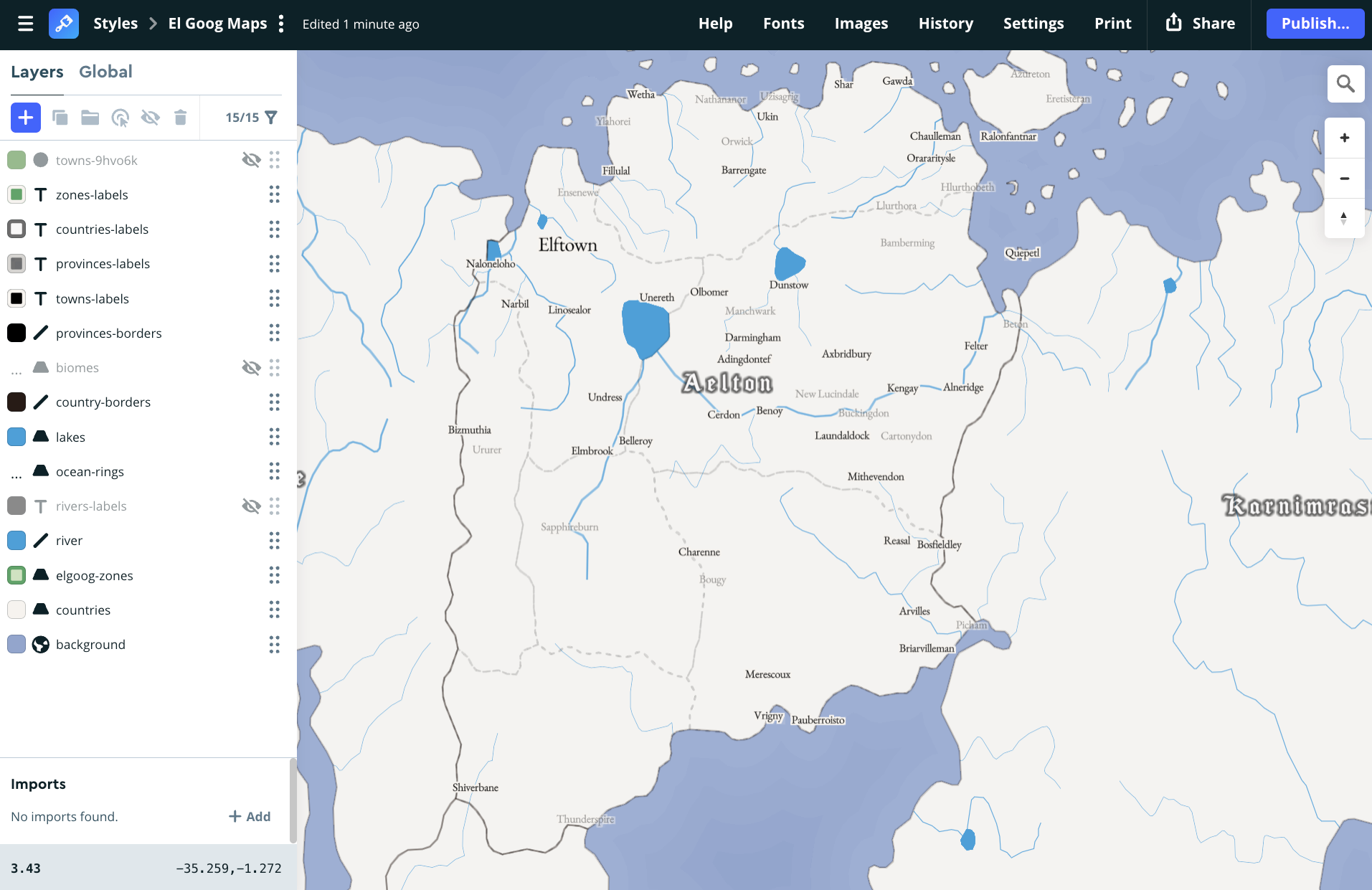
Next was creating the app. Orignally I did this using React, but I had recently started learning VueJS and Nuxt for my job, so I thought this would be a good opportunity to learn more about that framework! So I migrated everything to Nuxt and that's basically where we are at today! Super fun project that my players really enjoyed being able to use to understand more about the world we were adventuring in! I definitely glazed over lots of the details, but this post is already getting too long. Maybe one day I'll create an in-depth tutorial to create a new version of the world!